
Up and running in minutes
After payment confirms, your login (server URL, username and password) arrives on WhatsApp. Then pick your device below — or just message us and we'll walk you through it live.
Firestick / Fire TV
The most popular way to watch. You install the free Downloader app once, use it to grab the player app, then log in. About 5 minutes, one time only.
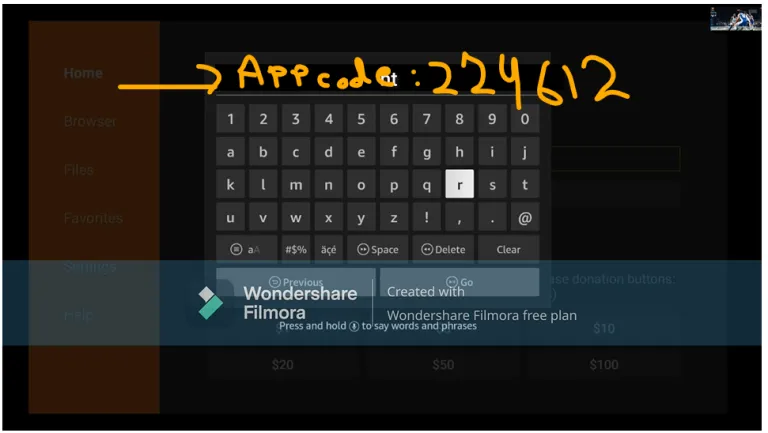
Downloader app code:224612
- Step 1
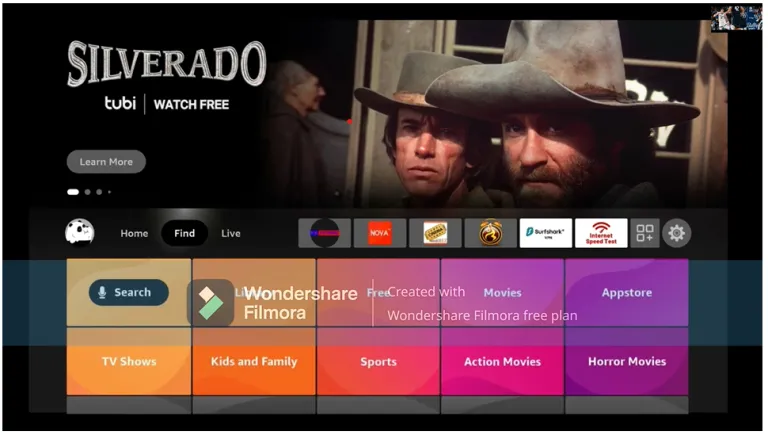
Open Find → Search from the home screen
From your Fire TV home screen, move to "Find", then choose "Search".
- Step 2
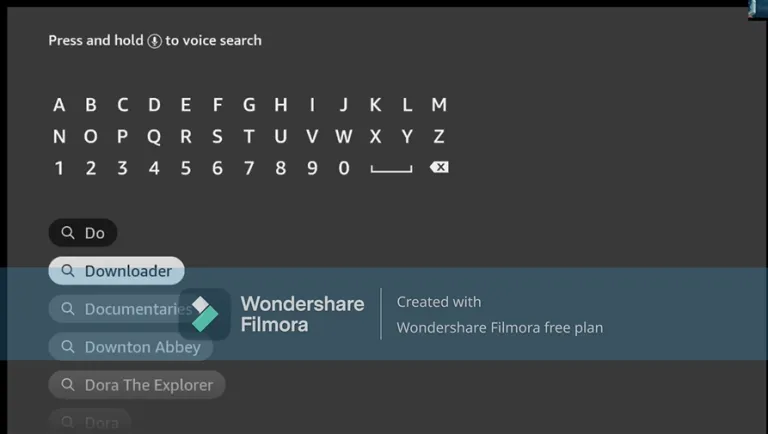
Search for "Downloader"
Type "Downloader" — it appears in the suggestions before you finish typing. Select it.
- Step 3
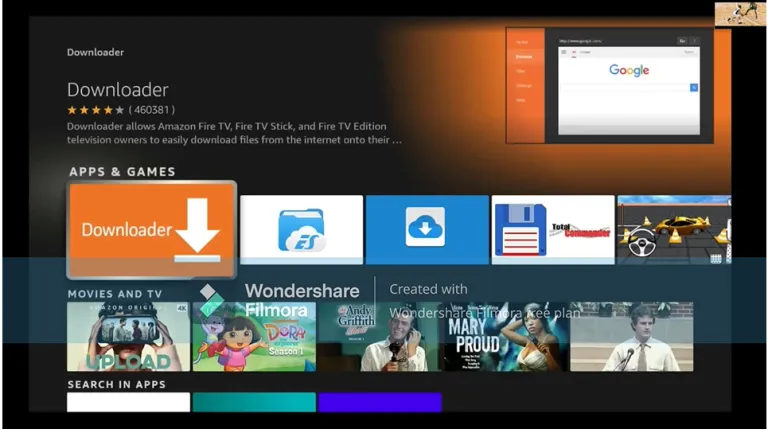
Select the Downloader app
Pick the orange Downloader app (by AFTVnews) from Apps & Games.
- Step 4
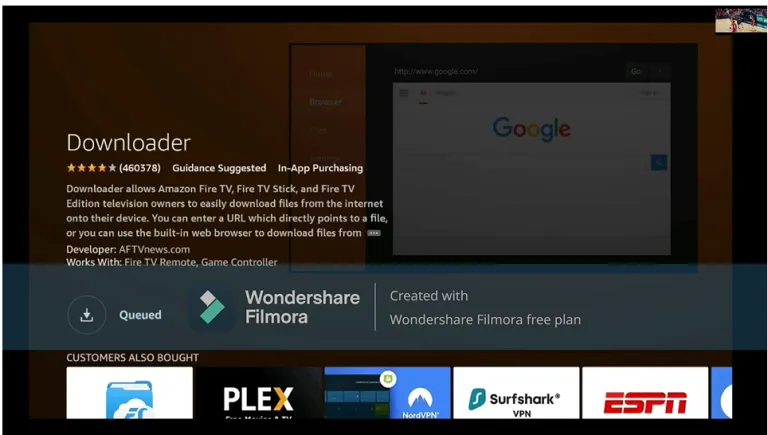
Download and install it
Press "Get"/"Download" and wait for it to install. While it downloads: go to Settings → My Fire TV → Developer Options and switch ON "Install unknown apps" (or "Apps from Unknown Sources") for Downloader. If you don't see Developer Options, go to Settings → My Fire TV → About and click your Fire TV's name 7 times to unlock it.
- Step 5
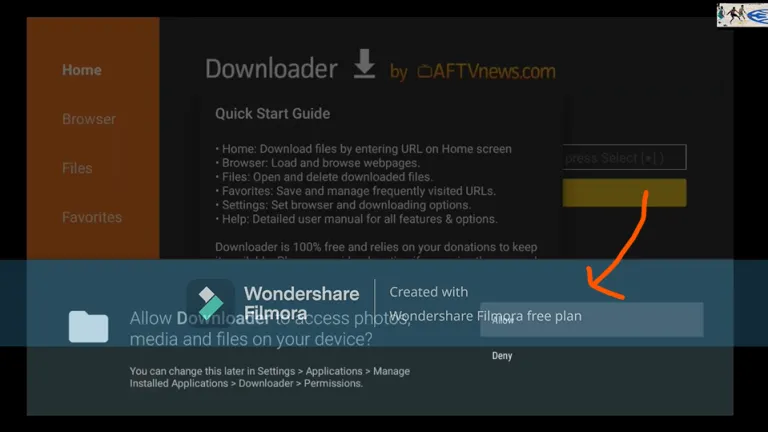
Open Downloader and allow file access
The first time it opens, Downloader asks for permission to access files. Choose "Allow".
- Step 6
Enter the app code and install
Click the URL box and type the code 224612, then press Go. The player app downloads — press "Install" when prompted, then "Open".
- Step 7
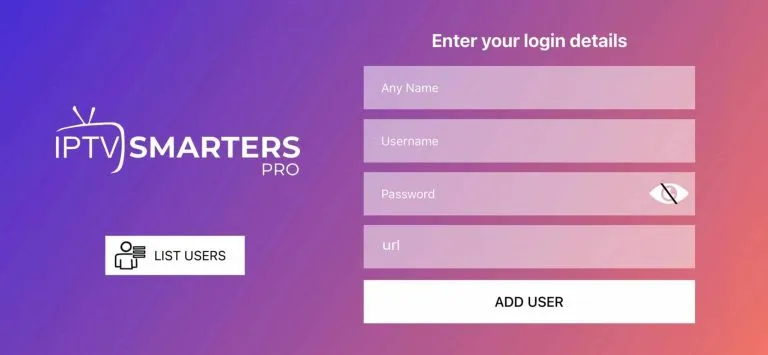
Log in with the details we send you
Open the app and enter the login details from your WhatsApp message (username, password and server URL), then press "Add User". Done — all your channels load up.
Android TV / Android Box
Same idea as the Firestick: install Downloader from the Google Play Store (or your box's app store), then pull in the player app.
- Step 1
Install Downloader
Open the Play Store on your Android TV or box and install the "Downloader by AFTVnews" app.
- Step 2
Allow unknown apps
Go to Settings → Apps → Security & Restrictions (or "Special app access") → Install unknown apps, and enable it for Downloader.
- Step 3
Enter the app code
Open Downloader, click the URL box, type 224612 and press Go. Install the player app when the download finishes.
- Step 4
Log in
Open the app and enter the login details we sent you on WhatsApp. That's it.
Samsung / LG / Smart TV
Most Smart TVs (Samsung, LG, JVC, Sankey, Hisense, TCL and others) can install an IPTV player app straight from the TV's own app store — no Downloader needed.
- Step 1
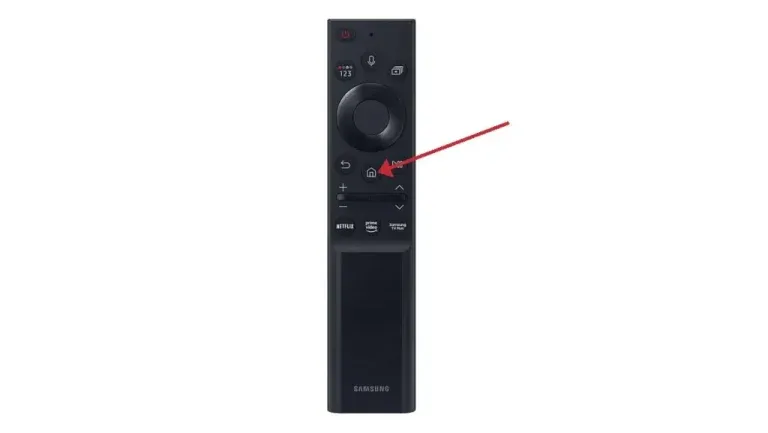
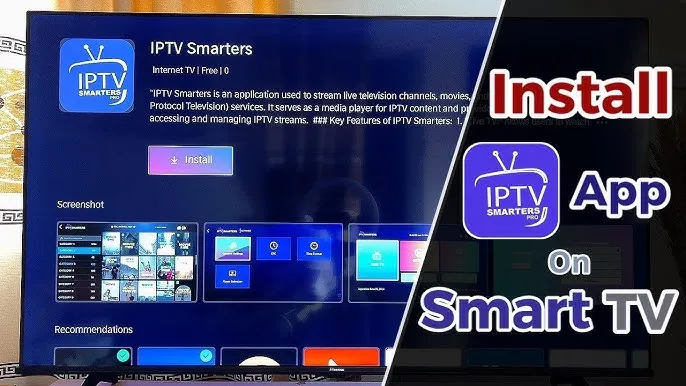
Open your TV's app store
From the TV home screen, open the Apps section and search for an IPTV player app (we'll tell you exactly which one on WhatsApp for your TV model).
- Step 2
Install and open the app
Install the player app and open it from your apps list.
- Step 3
Log in with your details
Enter the username, password and server URL from your WhatsApp message. Your channels, movies and series load right up.
Phone / Tablet / Laptop
Works on iPhone, iPad, Android phones and tablets, and laptops. Perfect for watching on the go or in the office.
- Step 1
Install the player app
On iPhone/iPad get the IPTV player from the App Store; on Android from the Play Store; on laptop we'll send you a link. We tell you exactly which app on WhatsApp.
- Step 2
Log in and watch
Enter your login details and you're set. Remember: one account streams on one screen at a time — you can install everywhere and switch freely.
Roku
Roku can't sideload the player app. The easiest fix: a Firestick or Android box plugged into your Roku TV's HDMI port works perfectly — and we sell those too.
- Step 1
Grab a Firestick or Android box
Message us on WhatsApp — we stock Firesticks and Android boxes, delivered anywhere in T&T. Then follow the Firestick steps above.
Stuck on a step?
Message us — we'll walk you through it live, screen by screen.
Get Live Help on WhatsApp